Find the sensitive details.
OCR, pattern detection, and AI suggestions help surface personal and sensitive information. Your team reviews the context and makes the call.
 Book a demo ↗
For federal, state & public records teams
Documents, images, audio, video. One secure workspace.
AI-assisted redaction, with your team in control.
Built for sensitive work across
Give sensitive records a clear path forward, with the tools to protect information and the oversight to release it confidently.
OCR, pattern detection, and AI suggestions help surface personal and sensitive information. Your team reviews the context and makes the call.
Organize redactions into exemption layers. Record the basis for withholding information and let managers lock finalized layers.
Dedicated roles make ownership clear. Route work through review, return it for corrections, and release only when it is approved.
Governance & security
Give every role a clear responsibility. Keep redaction decisions connected to their reasons, route work through review, and preserve evidence of how records were prepared for release.
Explore the product brochure ↗The governance circle
01 / 06Give people access appropriate to their responsibility. Role-based permissions, SSO, multi-factor authentication, and configurable session policies help control who can work with sensitive records.
FOIA officers manage requests, redactors prepare records, reviewers check work, and managers make the final decision. Returned work follows a correction loop.
Connect marks to exemption layers and reasons. Use shared templates and organization catalogs, then lock finalized layers against further changes.
Review activity, comments, and export jobs. Preserve redaction history in a separate audit artifact and generate reports within each role’s access.
Burned-in masks remove underlying content, with integrity checks to validate the final output.
Sanitization strips hidden metadata and revision history before records are released.
An encrypted audit artifact preserves redaction history for internal accountability.
Role-based permissions, SSO, multi-factor authentication, and configurable session policies support organization-wide control.
Manage users, teams, master documents, exemption catalogs, and color palettes from the administration workspace.
Configure session duration, review session logs, monitor MFA adoption, and set role-specific enrollment grace periods.
A request can contain more than a document. Work with dedicated editors for each file type, connected by the same layers, reasons, and review process.
Combine AI detections with precise manual tools, even when the source is a scanned record.
Prepared by the records department.
The reporting party, Alex Morgan,
provided the attached records for review.
Supporting correspondence includes
alex.morgan@example.com.
Redact the actual text and table cells, with tools built for structured Word documents.
| Record | Detail |
|---|---|
| Department | Operations |
| Name | Alex Morgan |
| Contact | 202-555-0142 |
| Status | Active |
Selected cells redacted.
Surrounding content stays readable.
Use visual controls for photos, scanned IDs, signatures, and irregular sensitive regions.
Work on a waveform or select words in a transcript. The spoken content and the timeline stay aligned.
Speaker 1“You can reach me at
202-555-0142 if you need
any additional information.”
Combine visual redaction, object tracks, and transcript assistance in one video editor.
Find the relevant information and understand the record sooner. Your team confirms the context, the exemption, and the final decision.
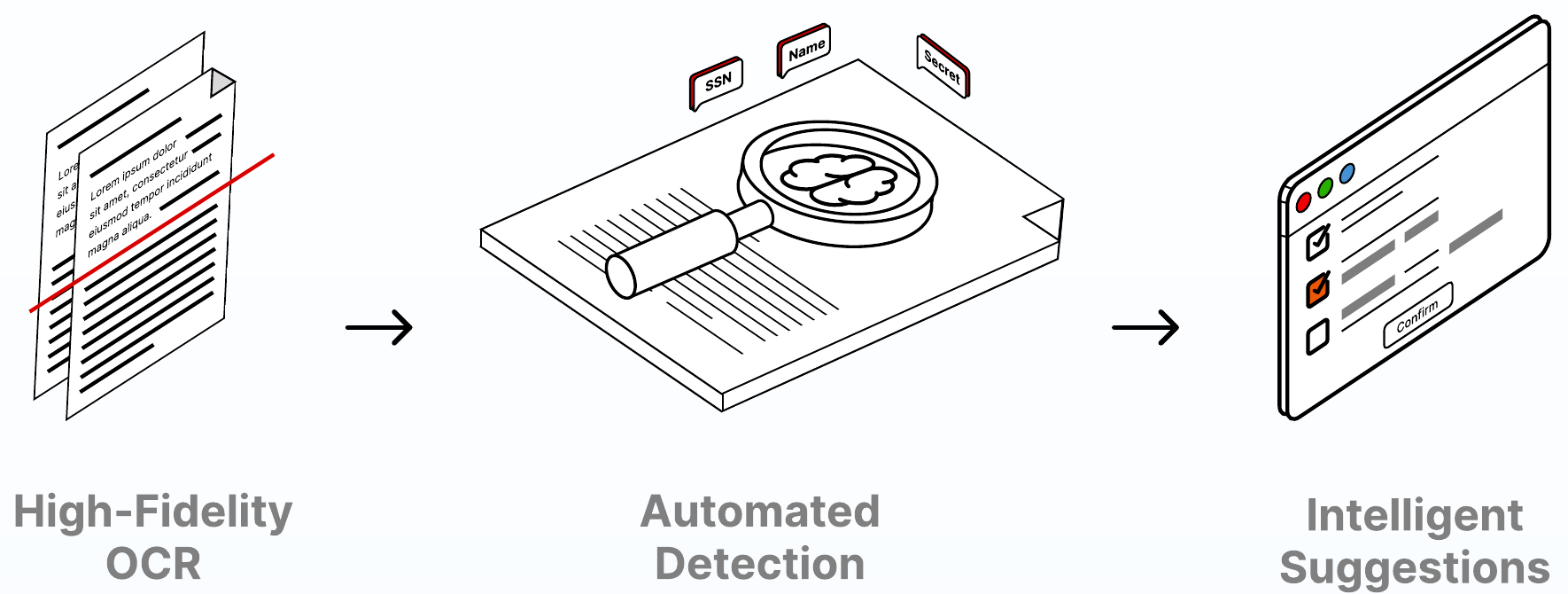
Extract text from scanned PDFs, images, and video frames. Navigate back to the source to check every detail.
Results remain connected to the source page or frame, so a reviewer can check the extracted text in context.
Review sensitive-information suggestions with their location, confidence, and proposed exemption. Accept or reject individually or in bulk.
Suggestions remain subject to user acceptance, layer assignment, and review. Confidence does not replace the release decision.
Explore short or full summaries, topics, and action items, with per-page, per-speaker, or per-scene views for supported file types.
PDF: per-page summaries. Audio: per-speaker summaries. Video: per-speaker and per-scene summaries. Images: alt text, captions, and detected objects.
Locate repeated phrases and structured identifiers such as phone numbers, email addresses, dates, and IDs.
Search & Redact supports repeated text in PDFs. Word provides Find & Redact plus structured pattern redaction.
Move between spoken content and readable text, with transcript selections connected to the audio or video timeline.
Audio redaction can be performed on the waveform or through selected transcript text, with mute and beep options at export.
Find sensitive visual categories and follow selected subjects across video frames, with human review of the proposed tracks.
Video categories include faces, people, vehicles, license plates, screens, notepads, text, signatures, and more.
Consistency, built in
Apply shared enterprise templates or save personal templates for repeated work. Combine multiple exemption layers on a mark, with a reason that explains this specific decision.
Identifying details of a third party.
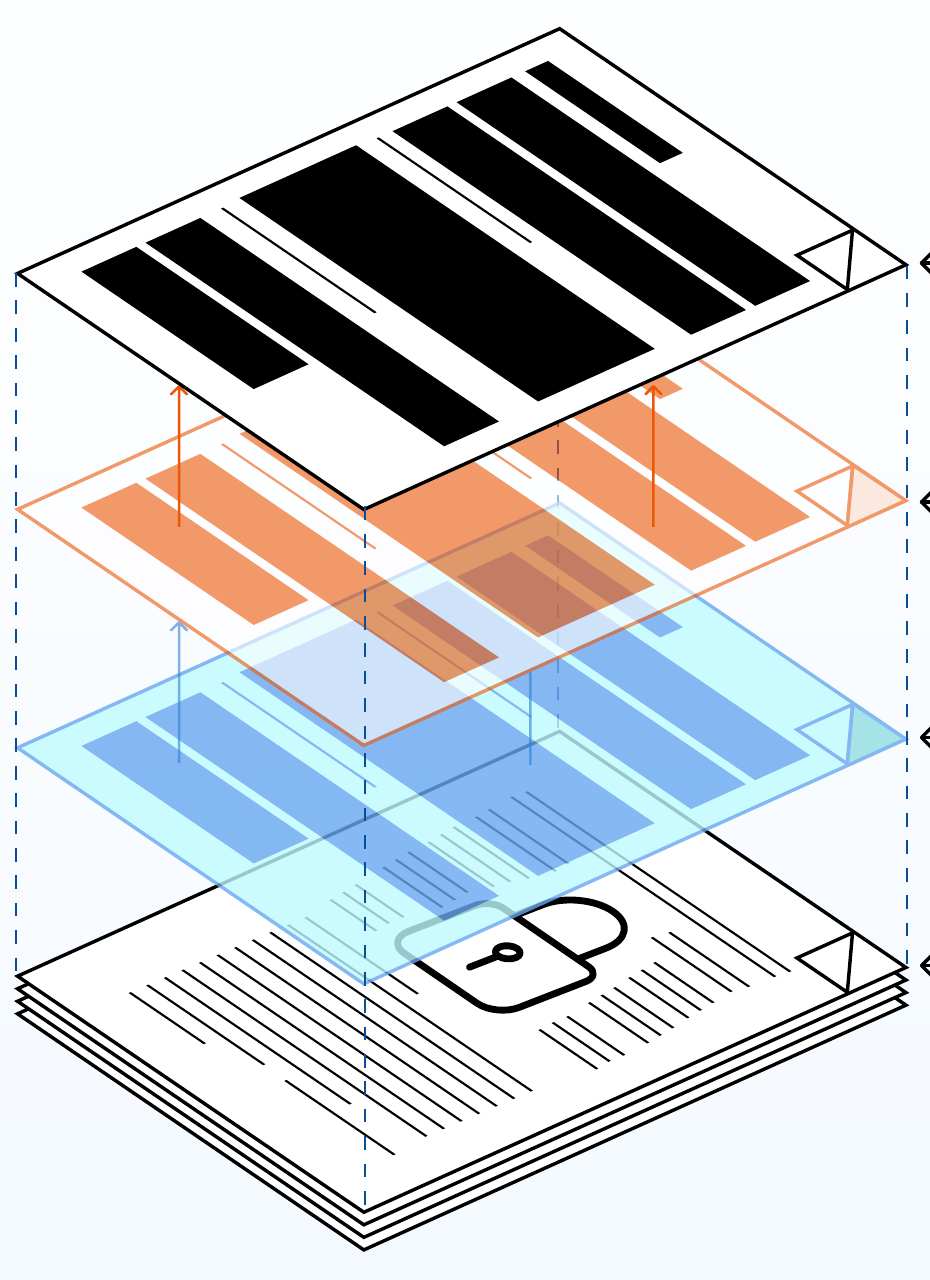
Layered redaction
Connect each mark to the exemption or policy behind it. Keep the source protected while your team prepares the approved release.
Manage requests, people, and priorities together. Keep the next action visible from intake through closure.
PDF · Word · Video
Assigned to redactor
Quality check in progress
Ready for export
| Request | Status | Next step |
|---|---|---|
| Public records requestRS–0142 | In progress | Finish redaction |
| Correspondence reviewRS–0143 | In progress | Redactor assigned |
| Personnel recordsRS–0140 | In review | Reviewer decision |
| Disclosure packageRS–0138 | Approved | Export |
Capture request details, priority, due dates, exemptions, comments, and the files your team needs.
Find requests by stage, staff, priority, or date. See approaching deadlines and overdue work.
Check manager, redactor, and reviewer workloads before assigning eligible team members.
Keep context with the case and catch assignments, review feedback, and changes through in-app or email notifications.
Visibility that leads to action
Role-based dashboards bring the right level of detail to redactors, managers, FOIA officers, and administrators.
Break down work by file type, exemption layer, tool, and manual versus automated redaction.
Track rejection patterns, returned work, stage aging, and team-quality indicators.
Generate reports by document, request, user, or activity, with CSV and PDF exports where supported.
Review uploads, document usage, MFA adoption, session activity, and export performance.
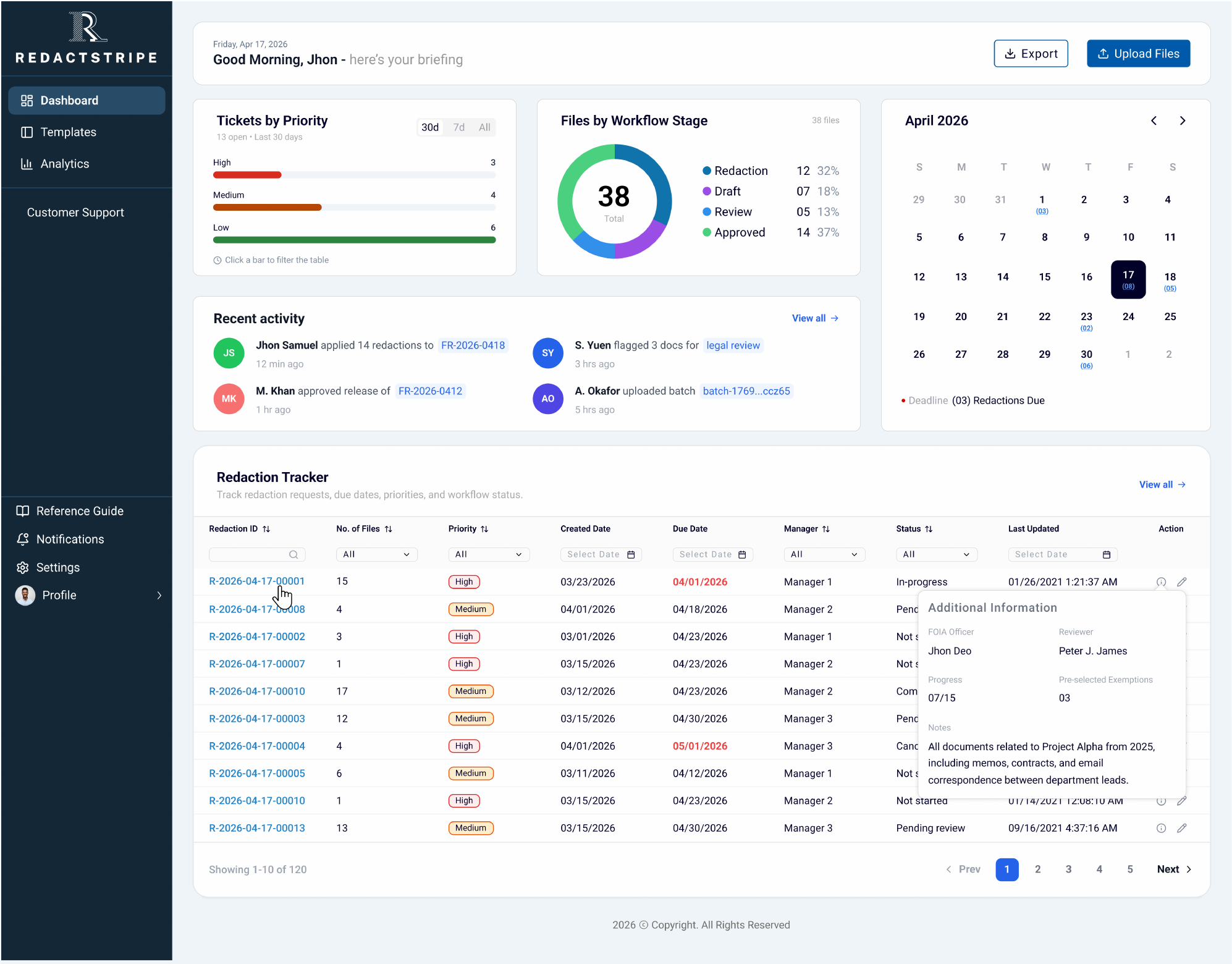
From the first request to the final export, everyone knows what they own and where the work stands.
Create the request, assign the team, and set the deadline. The case is ready for the redactor.
Compare original and redacted views. Approve or reject each proposed redaction with context and feedback.
Return work with a reason. Redactors fix the affected items and resubmit through the configured review path.
Managers review prior decisions, lock finalized layers, and approve the file before release becomes available.
Review paths adapt to your case. When no reviewer is assigned, work goes directly to the manager.
From approved work to release-ready output
Export individual files or approved documents from a mixed-format request. Choose output options for the release you need, and follow every job through completion.
Illustrative configuration. Export follows final approval.
Get a closer look
Explore the platform, the roles, and the decisions that keep sensitive records moving.
Let’s walk through your records, your team, and your review process.
Book a demo ↗contact@tekstripes.com